EarthCamTV 2
EarthCam, Inc.Travel & Local
3.65.00 Reviews
- Version
- 2.2.9
- Installs
- 100.00K
- Age Rating
- Everyone
Screenshots
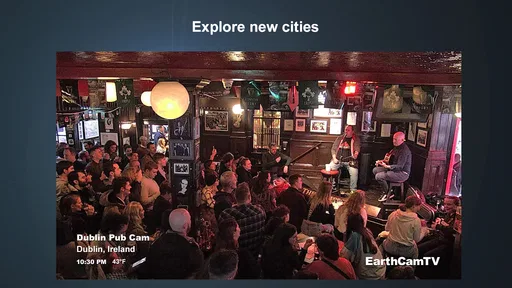
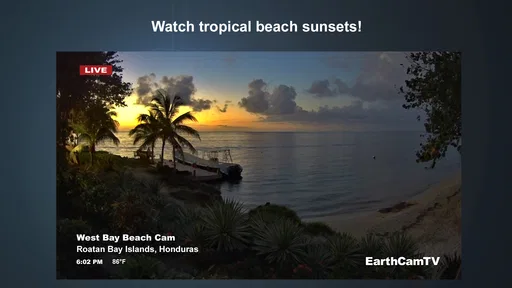
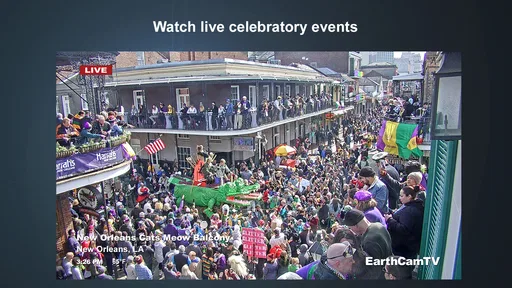
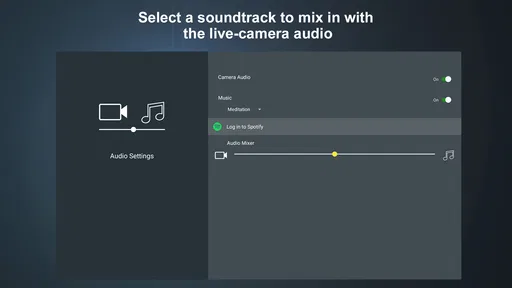
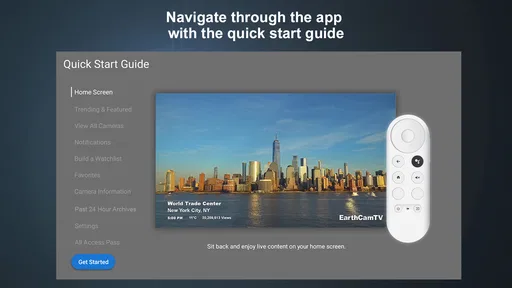
Our Review of EarthCamTV 2
 Analysis by Appyee
I approach EarthCamTV 2 less as a travel planner and more as a way to look in on places beyond my own routine. That distinction matters: it gives me a live view to explore, not a route to book or a local guide to follow. When I want a low-effort change of scene, watching an outdoor camera can be oddly absorbing. I can check the weather and pace of a place, notice how a public space changes through the day, or simply leave a view on while I unwind.
A window onto places, not a trip-planning tool
EarthCam, Inc. makes this free Travel & Local app, and its focus is easy to understand: live camera views are the experience. The app has a 3.9 average from around 130 ratings, with over 100,000 installs, so there is a modest but established audience for this particular kind of virtual sightseeing. It is rated for Everyone and runs on Android 6.0 or later; the current version is 2.2.9.
That focus is also the main trade-off. A map, travel guide, or weather app helps me make decisions about where to go and what to do. EarthCamTV 2 is better for observing than planning. I would open it to get a feel for a destination or enjoy a live scene, then use a different tool if I needed directions, opening hours, forecasts, or practical travel details.
What a live camera can—and cannot—tell you
In everyday use, a live view can answer a small, immediate question: does this famous square look busy right now, or is the waterfront calm? It can also help me choose a mood for a short break. A lively city scene offers movement and people-watching, while a quieter landscape can make a more restful background. Those impressions are useful, but they are only a view from one camera angle, not a complete picture of a city or destination.
I would avoid treating a feed as a reliable substitute for a forecast or an on-the-ground report. Camera availability can change, and a single viewpoint may not show nearby conditions. If I were deciding whether to travel, cross town, or attend an event, I would check current practical sources as well. The app works best when I use it for curiosity and atmosphere rather than making consequential plans from what happens to be on screen.
Privacy, trust, and visible choices
For a camera-viewing app, I think about two sides of privacy: what I choose to watch and what the service may handle while I use it. I can assess the viewing experience, but I would not assume details about permissions, account controls, or data practices without seeing them clearly in the app and its system prompts. My practical advice is to read any permission request before accepting it, and to use only the access that makes sense for the action I am taking.
There is also a simple personal boundary worth keeping in mind: a live public scene can include people going about their day. I treat the feeds as a way to observe a place, not as a way to identify or track anyone. If I were using the app around children or guests, I would explain that it shows live camera views and let them choose whether they want to watch. That small habit keeps the experience comfortable and transparent without making assumptions about how the app handles information.
Exploring the World One Camera at a Time
Have you ever found yourself wondering what’s happening across the globe at this very moment? Well, you're in luck because I’ve just checked out this cool app called EarthCamTV 2, and let me tell you, it’s quite a fascinating way to explore the world from the comfort of your couch.
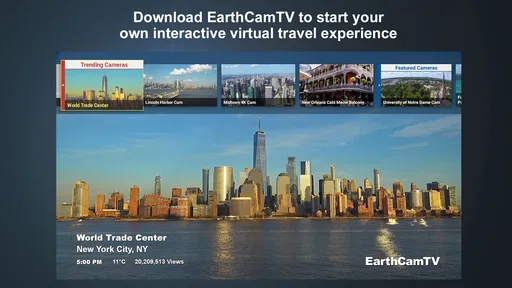
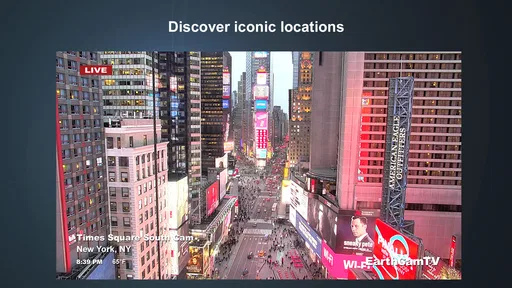
So, the first thing you do when you launch EarthCamTV 2 is dive into a world of live streaming cameras from different corners of the globe. It’s like having a personal tour guide who’s always ready to show you iconic landmarks, bustling city streets, and serene natural landscapes. No kidding, one moment you're people-watching in Times Square, and the next, you're gazing at the serene beaches of the Maldives.
What really caught my attention was how effortlessly the app streams these live feeds. You know how sometimes apps get all choppy and you end up staring at a swirling loading icon? Yeah, none of that here. The streaming is smooth, and the quality is surprisingly good. I mean, who’d have thought you could see the Eiffel Tower in real-time without booking a flight?
Features That Keep You Hooked
Alright, let’s talk features because this app isn’t just about gawking at live cams. One of the neat things is the customizable playlist option. You can actually curate your own list of favorite cameras and just chill with them on a loop. It's like creating your own travel channel.
For a more deliberate watch, I find a playlist useful when I already know the kinds of scenes I want to return to: perhaps a recognizable landmark, a busy street, and then a quiet view. That order creates a tiny, self-directed tour rather than a stream of unrelated stops. It is also a practical way to avoid spending the whole session browsing when I only have a few minutes. I can start with a familiar camera, let the sequence move on, and stop when I have had enough.
And if you’re feeling a bit spontaneous, the shuffle mode is perfect. It’s like letting the universe decide where you’re heading next. One minute you’re in Alaska, the next you’re checking out the hustle and bustle of Tokyo. It’s quite a ride!
Shuffle suits a different mood from a playlist: it turns the app into a discovery tool rather than a curated channel. I would use it when I have no destination in mind, but I would not rely on it when I want to check a particular place. A useful middle ground is to explore randomly first, then save the cameras that genuinely hold my attention for a more focused session later. That makes the choice feel intentional without removing the surprise.
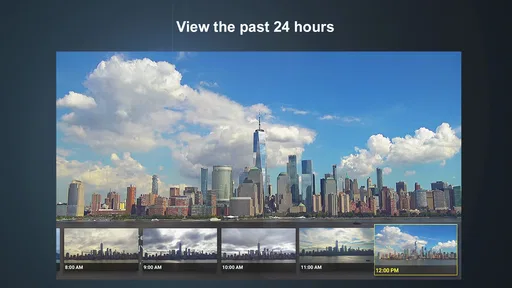
Another cool feature is the time-lapse option. Ever wondered what a day in the life of a busy city looks like in just a few minutes? The time-lapse button lets you see the whole day’s happenings in a flash. Perfect for those impatient moments when you just can’t wait to see how a story unfolds.
Making the most of a short viewing session
A realistic use for me would be a short break between tasks: I could open a familiar city view, watch long enough to notice the street’s rhythm, and switch to time-lapse if I want a compressed sense of how activity changes. That is more engaging than scrolling through static travel photos, but it remains a passive activity. If I want to learn the history behind a landmark or find a restaurant nearby, I would move to a guide or map app instead of expecting the camera feed to provide that context.
There is a useful distinction between the live view and the time-lapse. The live feed lets me watch what is happening at that moment, while time-lapse is for seeing change in a condensed form. I would choose live viewing when I want atmosphere, and time-lapse when the gradual movement of a place is the point. Neither format guarantees that something especially interesting will happen during my visit, so I treat them as open-ended viewing rather than a scheduled show.
EarthCamTV 2 makes the most sense for curious viewers, people who enjoy landmarks and public scenes, or anyone who likes having a visual change of pace at home. It is less suitable if I need detailed destination information, travel booking, dependable local conditions, or an interactive walking tour. Compared with the usual travel apps, its strength is immediacy and visual access; its limitation is that it does not replace the practical tools that turn inspiration into a plan.
Availability, cost, and a cautious choice
The app is free to download, with in-app purchases ranging from $4.99 to $299.99 per item. I would begin with the free experience and look carefully at what an optional purchase offers before paying; the wide range makes it especially sensible to check the purchase screen rather than assume every option is relevant. If I only want an occasional live look at a place, I would first see whether the free use meets that need. The app’s age rating is Everyone, but I would still make the viewing choice with a child in mind, since the content is live scenes from real places rather than a tailored children’s program.
One question people often have is whether this can replace travel research. I would say no: it can help satisfy curiosity or give a visual impression, but a camera cannot answer all the questions that matter for a trip. Another is whether it is worthwhile for brief use. In my view, yes, if a quick scene or a few minutes of time-lapse is enough; it is less compelling for someone who wants structured lessons, narration, or a complete itinerary. And if a camera is unavailable, I would simply move on rather than assume the rest of the experience depends on that one view.
Is It Worth Your Time?
So, is EarthCamTV 2 worth downloading? Honestly, if you’re someone who loves to explore and has a curious mind about what’s happening worldwide, you’ll probably find this app as captivating as I did. It’s a great way to satisfy your wanderlust without leaving home. Plus, it’s a fantastic conversation starter. Imagine telling your friends you just saw a live feed of the Northern Lights!
That said, the app does have its moments where some cameras might be offline or unavailable. But that’s just a minor hiccup in an otherwise seamless experience. Plus, with so many cameras to choose from, there’s always something else to see.
Final Thoughts
In conclusion, EarthCamTV 2 is like having a window to the world right in your pocket. Whether you're a travel enthusiast or just someone who enjoys a good virtual escape, this app offers a unique and engaging experience. So why not give it a try? You never know what stunning view or bustling scene you might stumble upon next. Happy exploring!
Who I’d recommend it to
I would recommend it to someone who enjoys looking at real places without needing every session to have a goal. It can be a nice shared activity, too: choose a camera together, guess what time of day it is from the light and foot traffic, then switch to a different scene. That kind of informal viewing is where the app feels distinct from a travel video, which is usually edited to tell a story, and from a social feed, which is designed around posts and reactions.
I would skip it if I mainly wanted dependable planning information or a guided explanation of what I am seeing. It is also not the best fit for someone who dislikes passive viewing or expects every camera to offer a constant stream of memorable action. Sometimes the worthwhile part is simply noticing the ordinary pace of a place; if that sounds dull rather than relaxing, a map, documentary, or destination guide will probably serve you better.
A few practical habits that improve the experience
When I am deciding what to watch, I start with a purpose: familiar place, random discovery, or a quick time-lapse. That small choice keeps browsing from becoming aimless. If a view is quiet, I give it a moment before moving on; live cameras capture ordinary intervals as well as dramatic scenes. For a visit with limited time, I would use a short playlist of contrasting locations rather than repeatedly searching for a perfect feed.
I also keep expectations flexible. A camera’s framing is fixed, and conditions at the location can make a scene less revealing than its name suggests. A busy landmark may appear calm from one angle, while a quiet-looking view may change quickly. Treating each feed as a glimpse, not a comprehensive report, makes the app more enjoyable and avoids drawing too much from a narrow window.
What to consider before spending or sharing access
The optional purchases are a reason to pause at checkout, not a reason to assume that every viewer needs to pay. I would compare the item’s stated terms with how often I actually use the app and keep the decision separate from the pleasure of discovering a new camera. If I am only opening it now and then, the free option may be all I need; if I am considering a purchase, I would make sure I understand what is included before confirming it.
For trust, my approach is similarly practical: pay attention to the choices the app visibly presents and to permission prompts from the device, and grant access only when I understand why it is being requested. I do not treat the presence of live public scenes as proof of anything about personal-data handling. That is why I prefer to make privacy decisions from the actual controls and notices shown to me, rather than from assumptions based on the app’s purpose.
A measured verdict
EarthCamTV 2 is a focused option for people who want an easy visual escape, not a comprehensive travel companion. Its live cameras, playlists, shuffle, and time-lapse give me several ways to spend a few minutes, while occasional unavailable feeds and the passive nature of the experience set clear limits. I would try it for curiosity and casual viewing, use other tools for planning, and make any purchase or permission choice deliberately. If that balance sounds appealing, it is worth a look; if you need actionable local information, choose an app built for that job instead.
Verdict
Strengths of EarthCamTV 2
- High-quality live camera feeds.
- Wide variety of global locations.
- User-friendly interface design.
- Customizable viewing options.
- Regular updates with new features.
Limitations of EarthCamTV 2
- In-app ads can be intrusive.
- Limited free content access.
- Requires strong internet connection.
- No offline viewing option.
- Subscription model for full access.
Other Releases by EarthCam, Inc.
View All
Webcams
Travel & Local3.3
Similar Picks in This Category
View All
Google Maps
Google LLC3.4

Google Maps Go
Google LLC4.1

Booking.com: Hotels & Travel
Booking.com Hotels & Vacation Rentals4.8

Google Earth
Google LLC3.8

Skyscanner Flights Hotels Cars
Skyscanner Ltd4.8

trivago: Compare hotel prices
trivago N.V.4.4
Frequently Asked Questions
What is EarthCamTV 2 and how does it work?
EarthCamTV 2 is a streaming app that offers a live view of webcams from around the globe. Users can watch live feeds from famous landmarks, bustling city streets, and picturesque landscapes. The app allows users to explore different cultures and destinations from the comfort of their home. It’s available for both Android and iOS.
Is there a cost associated with using EarthCamTV 2?
EarthCamTV 2 offers both free and premium features. While users can access a variety of live webcams for free, the premium subscription provides an ad-free experience and additional exclusive content. Pricing details can be found on the app’s download page or within the app itself after installation.
What devices are compatible with EarthCamTV 2?
EarthCamTV 2 is compatible with most Android and iOS devices. Users can download the app from the Google Play Store or Apple App Store. It’s designed to work seamlessly on smartphones and tablets, ensuring a smooth viewing experience regardless of the device.
Can I customize my viewing experience on EarthCamTV 2?
Yes, EarthCamTV 2 offers several customization options. Users can create personalized playlists by selecting favorite webcams, set up viewing schedules, and even control the camera views in some locations. These features allow for a tailored viewing experience that aligns with user preferences.
Is an internet connection required to use EarthCamTV 2?
Yes, a stable internet connection is necessary to stream live webcam feeds on EarthCamTV 2. The app requires a reliable Wi-Fi or mobile data connection to ensure smooth streaming and access to live content. An unstable connection may result in buffering or interruptions.
